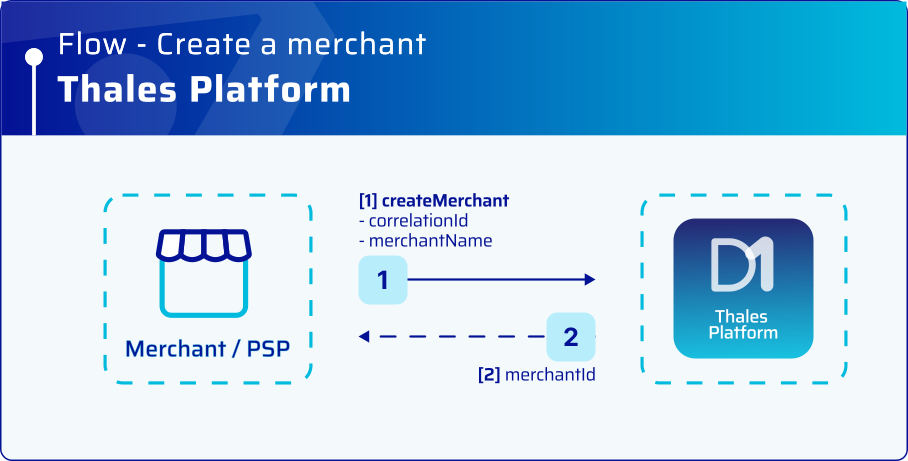
Merchant creation flow.
Merchant creation flow.
| Step | Description |
|---|---|
| 1 | The merchant aggregator/PSP sends a merchant creation request with the merchant name. |
| 2 | Thales backend creates the merchant and returns a unique identifier (merchantId). |
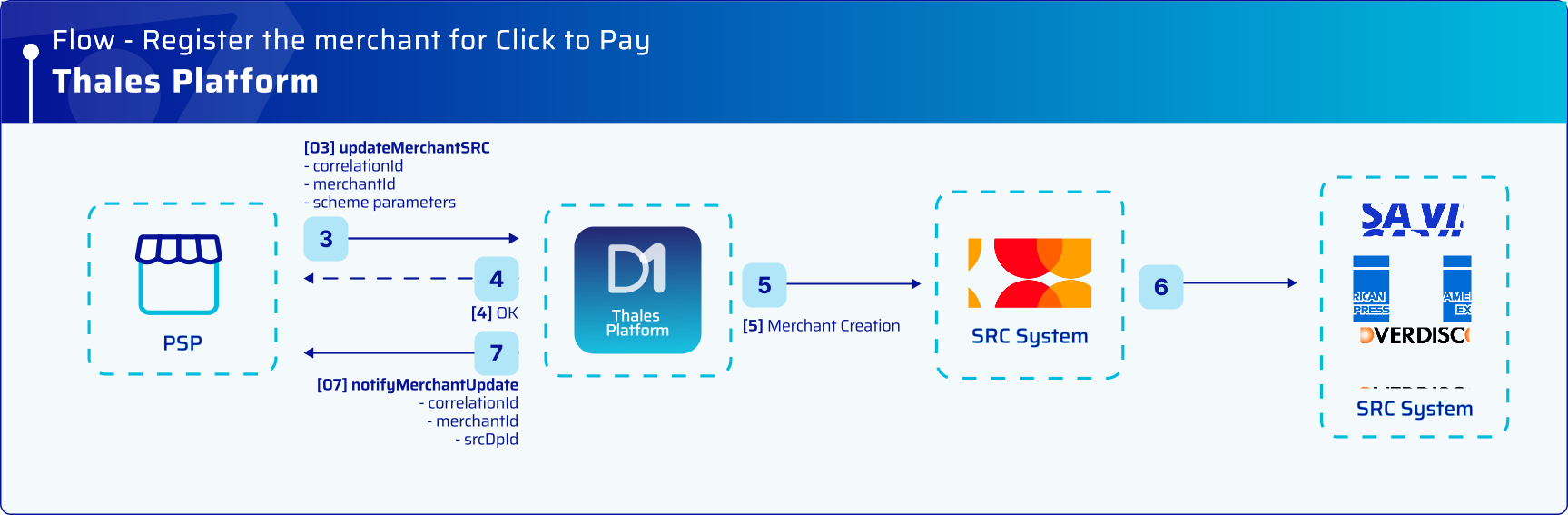
Merchant registration flow in Click to Pay.
| Step | Description |
|---|---|
| 1 | The merchant aggregator/PSP sends a request to onboard the merchant for Click to Pay. The request includes: - merchantId - correlationId It also includes payment-network-required parameters, such as: - Supported card brands - Merchant country code - Merchant URI - Acquirer ICA - Acquirer merchant ID |
| 2 | Thales backend acknowledges the request. |
| 3 | Thales backend registers the merchant for Click to Pay. |
| 4 | Thales backend sends a notification to the merchant aggregator/PSP with the onboarding result. |